Free tools
Built in the studio, free for producers who want that signature sound.
Reverse Reverb Swell
by Damian William
One click. Instant reverse-reverb swells that rise into every phrase.
Windows x64 · VST3 + Standalone · no account, no e-mail
Thank you! Your download is starting.
Nothing happening? Start the download again.
Install on Windows
- The .exe: run the installer and follow the steps. If Windows shows “Windows protected your PC”, click “More info”, then “Run anyway”.
- The .zip: copy both
.vst3folders from the VST3 folder intoC:\Program Files\Common Files\VST3\(admin rights), or run the Standalone version directly. - In your DAW, rescan your plugins (FL Studio: Options › Manage plugins › Find plugins). The generator loads as an instrument, the “FX” version as an insert on a mixer track.
Now, the music
This plugin comes out of Damian William's studio — melodic techno DJ and producer. If this sound speaks to you, hear his music.
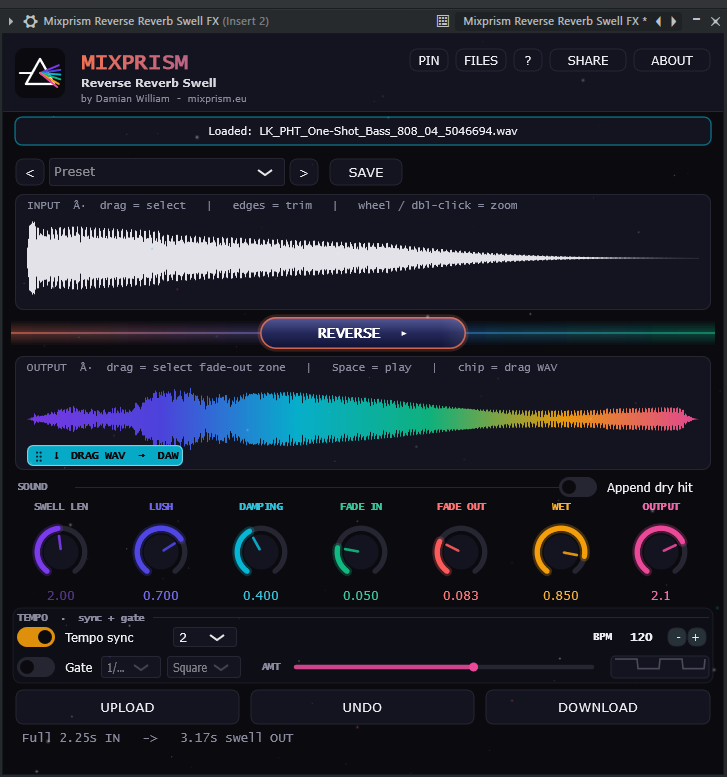
Turn any one-shot into a rising reverse-reverb swell in one click. Load a vocal, synth, snare or pad and get a lush reverse-reverb swell that builds up into the attack — perfect for transitions, risers and intros.
Ships as a DAW instrument (channel rack / pattern) AND as an insert effect for a mixer track, so the window stays open while you work.
Shape every swell: length, lush, damping, fade in/out, wet, gate (tempo-synced chop), tempo sync and presets. The swell re-generates as you tweak.
Drag the finished WAV straight into your DAW. Every drag writes a new, uniquely-named render — nothing is ever overwritten.
VST3 + Standalone for Windows, tested in FL Studio.
Free, personal license. The sounds you create are yours, commercial use included. Reselling or redistributing the plugin is not allowed.